How it works

One workflow from CSV to completed roster. Here is what you configure in each step — and what RapidRoster does for you.

Your path in a project

You stay in control. The generator proposes placements; you review, tweak, and export.

  1. Start a project

    • Create a blank project in this browser — projects save on this device.
    • Name the project so you can find it later
    • Optional: load a preset (sports, Science Olympiad, …) as a starting point
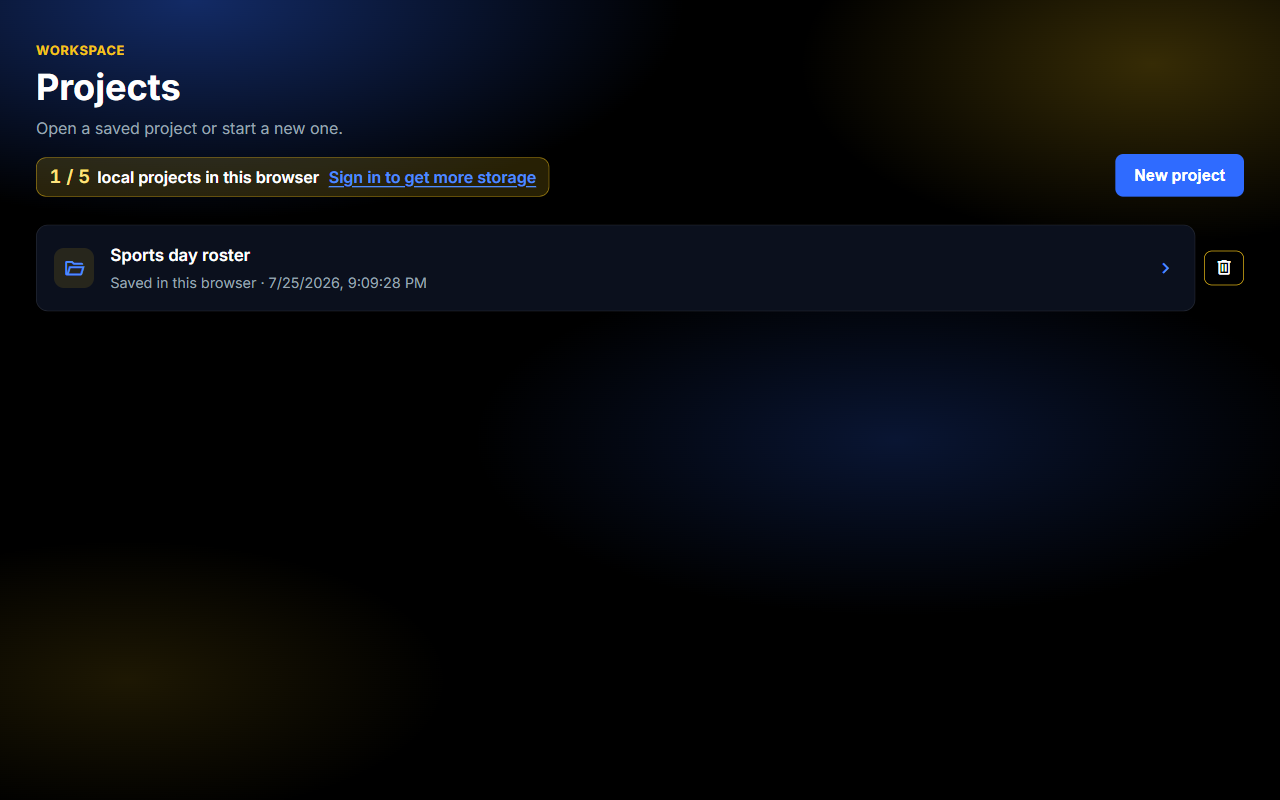
    Projects dashboard with a local Sports day roster saved in the browser
  2. Set up entries and slots

    • Import CSVs for entries (people, teams, resources) and slots (events, rooms, shifts).
    • Tell RapidRoster what each column means — ID, number, text, time — and set slot sizes.
    • Edit rows in the workspace if a CSV is messy
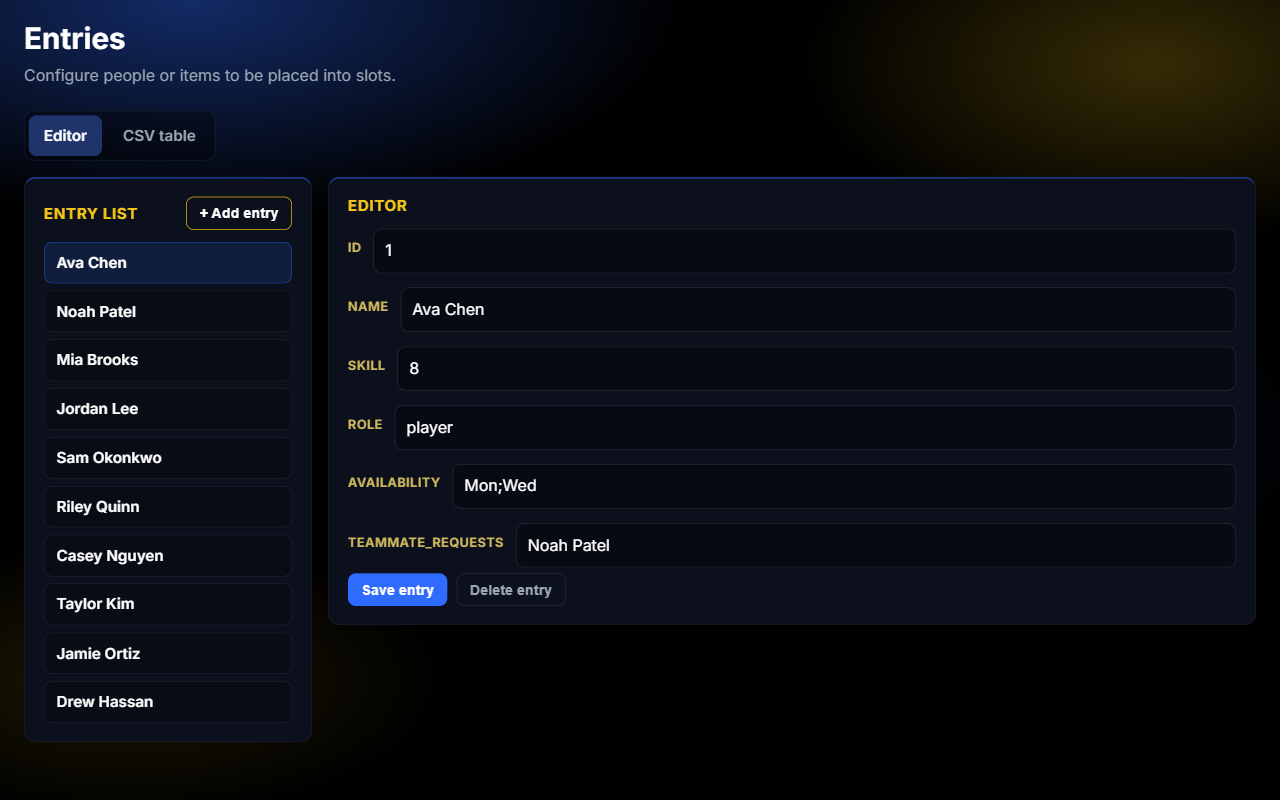
    Entries editor with a selected player and skill, role, and availability fields
    Entries
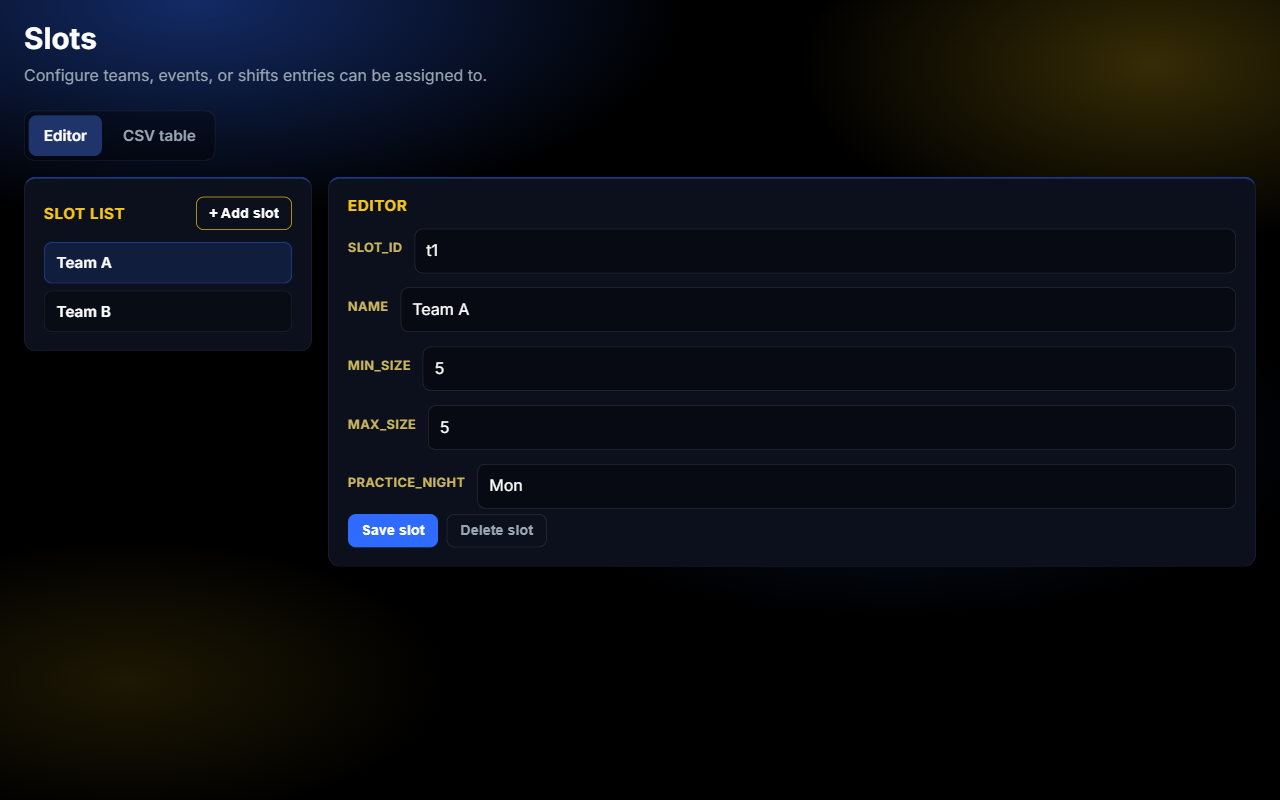
    Slots editor showing Team A with min and max size and practice night
    Slots
  3. Write the rules that matter

    • Build a short rule list from four types: Cluster, Separate, Limit, and Balance
    • Hard rules filter illegal placements
    • Soft rules still count when only partly satisfied
    • Priority from 1-10 tells the search what to protect first
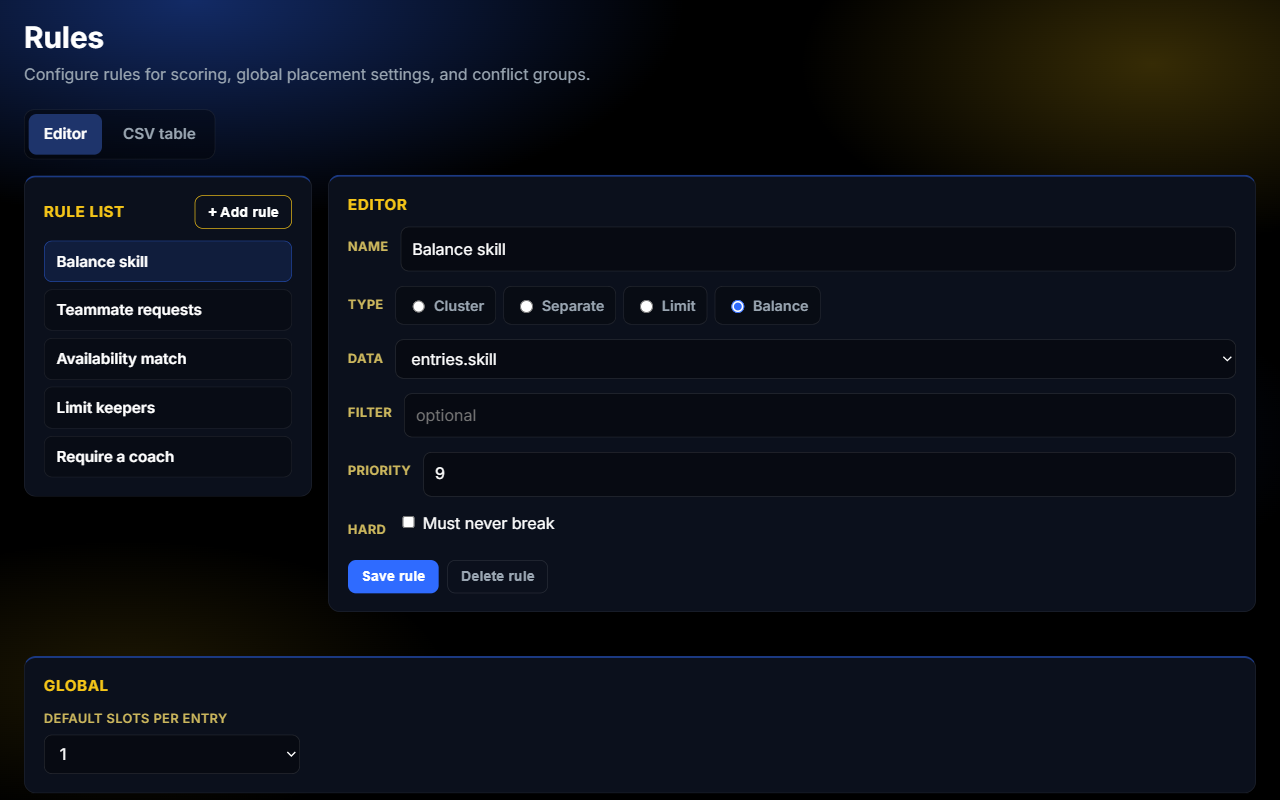
    Rules list with Balance skill selected in the editor
  4. Generate, compare, export

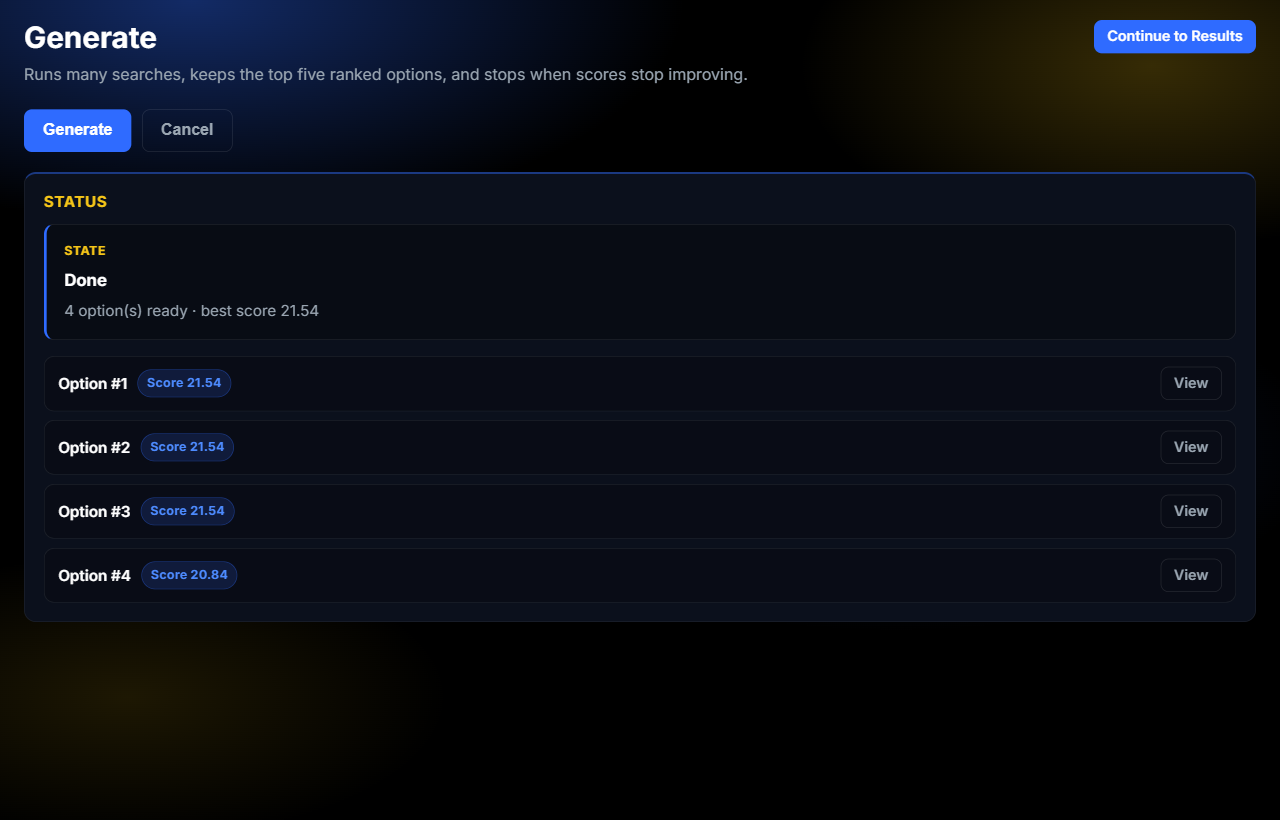
    • Run generate to see a primary solution plus alternatives
    • See which soft rules scored well or poorly
    • Generate again after you change rules or data
    • Download CSV when you are happy
    Generate status showing four ranked options after a completed search
    Generate
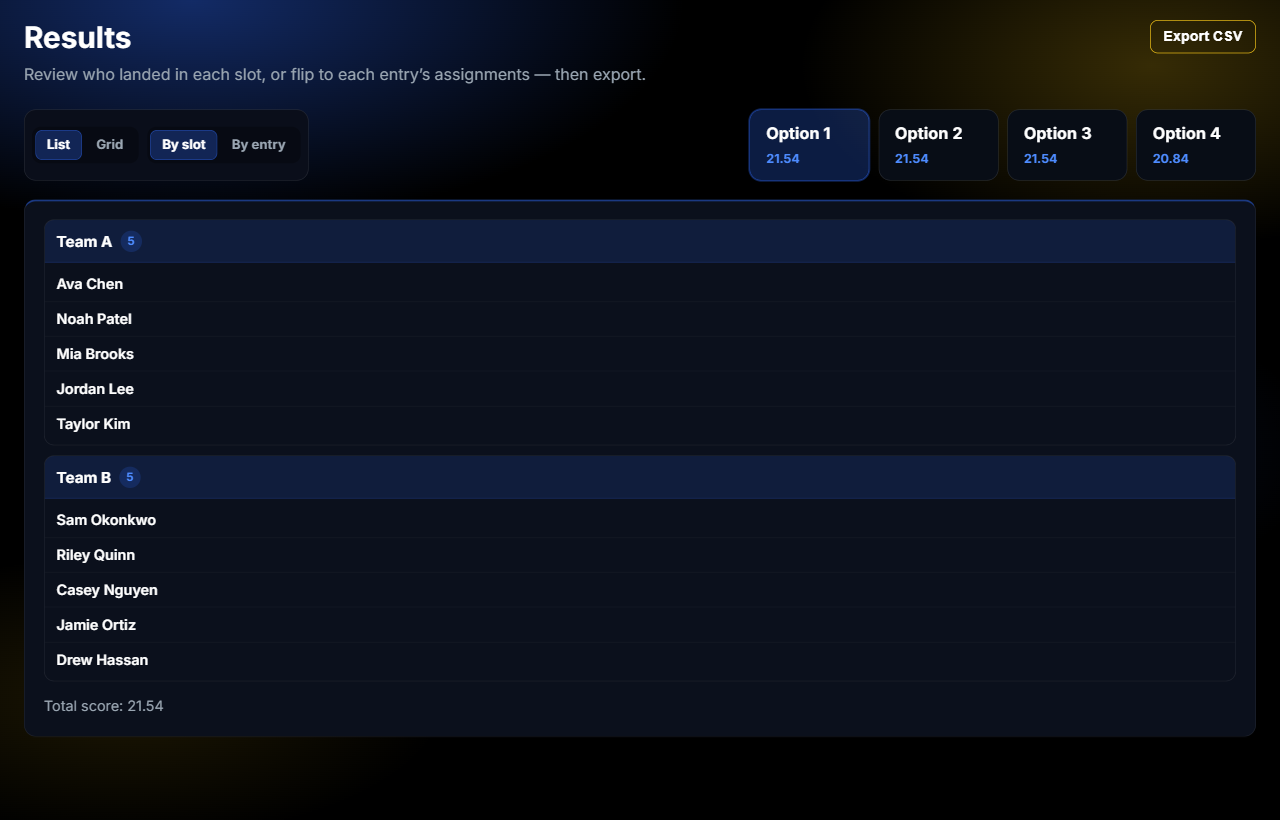
    Results view with Team A and Team B membership lists ready to export
    Results

What happens under the hood

Rules first

Constraints are explicit — not buried in formulas — so you can change one priority without rewriting the whole sheet.

Search in the browser

For typical roster sizes, generation runs locally. You get a scored solution that respects hard rules and prefers better soft-rule scores.

You still decide

Alternatives and the satisfaction report help you see tradeoffs. Export only when the roster matches what you would defend to participants.

Try the flow yourself

Open a project, load a preset or your own lists, and run through generate once.